Setting Up My Second Brain

Hey folks!
This one's personal. Not a tutorial. Not "here's how to set up Obsidian like a pro." More like: here's what I built, why I built it, and the parts that are still broken.
The Problem
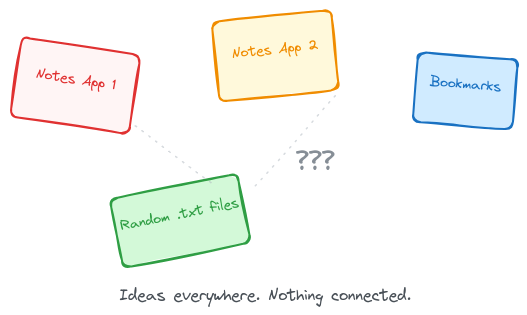
I had too many tabs open.
Not browser tabs. Life tabs. Ideas scattered across three different notes apps, a folder of bookmarks, random text files on my laptop I'd open by accident sometimes. Nothing connected to anything else. Every time I figured something out — how to set up a server, how to fix a Git conflict, why Docker kept yelling at me — I'd feel good about it for about a day. Then it was gone. Six months later I'd need to do the same thing and start from zero.
That's not how a brain works. But it is exactly how my digital life worked.
So I built a second one.
The name and the PARA structure come from Tiago Forte's book, Building a Second Brain. I borrowed PARA and built the rest differently. Worth reading even if you don't use Obsidian. I also read Sönke Ahrens' How to Take Smart Notes along the way — I don't use Zettelkasten, but the idea of atomic notes and linking changed how I think about this stuff. And honestly, just read the Obsidian manual. It's short. Most people don't.
Why Obsidian
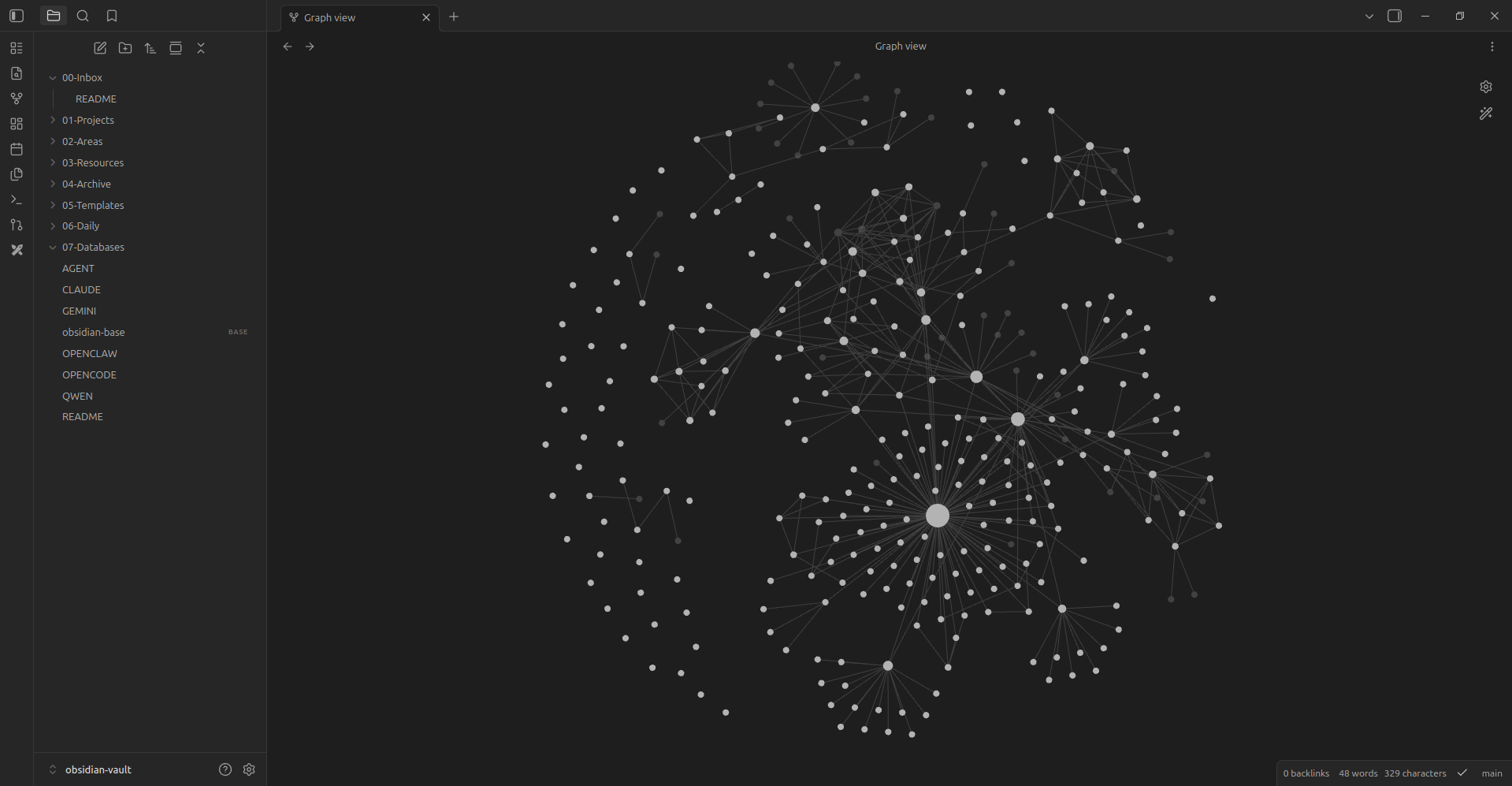
Because it's just files.
Markdown files on my computer. That's the whole product. No database. No account. No cloud dependency. If Obsidian disappears tomorrow, I still have everything. I can open it in any text editor. I can grep it. I can version control it.
I tried Notion. I tried Evernote. I tried Apple Notes. They all worked fine — until they didn't. Notion went down. Evernote changed its pricing. Apple Notes kept things in a format I couldn't export without jumping through hoops. Obsidian doesn't have any of those problems because it's literally a folder with .md files in it.
The graph view is nice too. Seeing your notes connect to each other — that's when you start to understand what you actually know. Not what you bookmarked. What you actually know.
Why Git
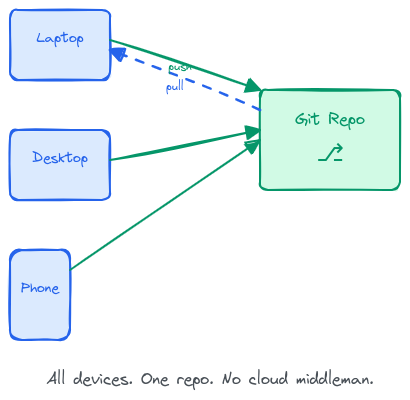
Because I don't trust cloud sync.
Not because it's bad. Because I want control. I want version history. I want to be able to undo a mistake from three weeks ago. I want this vault on my laptop, my desktop, and my work machine without thinking about which one has the latest version.
Git does that. I commit. It pushes. The other machine pulls. It just works.
I use the Obsidian Git plugin — auto-commits every 10 minutes, auto-pushes when there's something new. I don't notice it. It's just there, keeping everything in sync. The kind of boring background code that makes other parts of your life slightly easier.
On mobile, I use GitSync on both Android and iPhone. It's a Git client for mobile that syncs the vault to my phone for free. No subscription, no cloud middleman — just Git on your phone. That's good enough for me.
Why AI
Because I have three assistants now.
Claude, Qwen, OpenClaw. They're actually useful. Not for writing my notes — for processing them. Each one has a slightly different strength. Claude is good at summarizing and pulling out key points. Qwen is good at finding connections between notes I didn't realize were related. OpenClaw is good at workflows and structured processing. I don't use them all at once. I pick the one that fits what I need.
The AI doesn't replace my thinking. It helps me sort through it. Like having someone who organizes your workshop while you're still figuring out what you're building.
The Structure
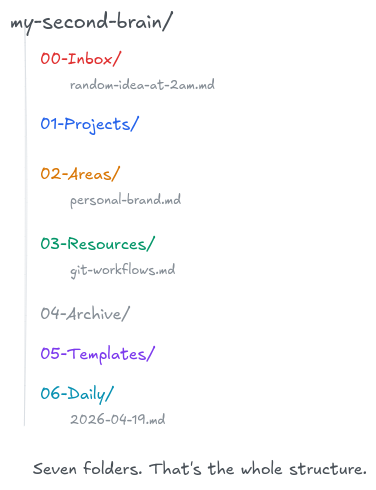
Projects. Areas. Resources. Archive.
Projects are things with deadlines. "Build Uteuk" is a project. It has an end date. When it's done, it moves to Archive.
Areas are things that never end. "Personal Brand" is an area. "Health" is an area. You don't finish them. You just keep showing up.
Resources are things you might look up later. Books, tools, techniques, references. The library.
Archive is everything else. Completed projects. Abandoned ideas. Stuff that was right for a moment and isn't anymore.
Plus 00-Inbox/ for raw captures and 06-Daily/ for the daily log. The numbers keep them in order. The names are descriptive enough. Don't overthink it. I spent way too long naming these and honestly it didn't matter. What matters is that you put things in them.
It works well most days. Some days I skip it entirely. Some folders are still a mess. That's fine.
The Pipeline
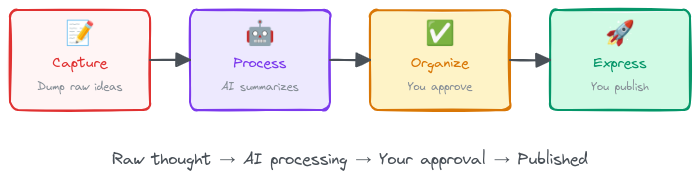
Folders are the skeleton. The pipeline is the nervous system.
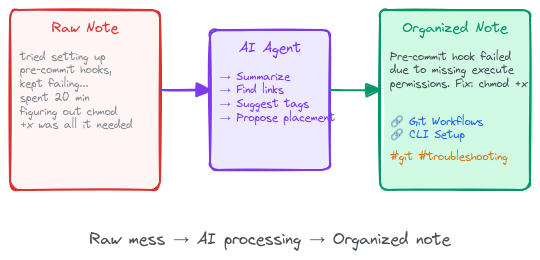
Here's how a raw thought becomes something useful:
Capture — You dump a raw idea into the inbox. No formatting. No structure. Just the thought before it disappears. A sentence. A question. A thing you figured out at 2am and don't want to forget.
Process — The AI reads what you wrote. Summarizes it. Finds related notes you forgot about. Suggests where it belongs. It just says "hey, this connects to that."
Organize — You look at the suggestions. Approve the ones that make sense. The AI moves the file, adds the links, updates the tags. You're still in control. The AI is just fast. Some suggestions I reject. The AI doesn't always get it right — it doesn't know what I'm going to do next, only what I've already done.
Express — Now you have organized knowledge. Blog posts come from here. Decisions come from here. Things you actually create instead of things you just stored.
The whole thing works because there's a boundary: the AI suggests, you decide. Without that boundary, you end up with a system you don't trust. And a second brain you don't trust is just another notes app.
It works most days. Some days I skip the whole pipeline and just write directly into a project note. That's fine too. The pipeline isn't a rule. It's a pattern I noticed was working. Some notes don't need processing. Some ideas are clear from the start. The pipeline is there for the messy ones.
What I Actually Did
If you want to build something like this, here's what I did. Not the polished version. The real one.
I created seven folders. Installed the Obsidian Git plugin, turned on auto-commit, and forgot it existed. Then I set up an AI agent — this part's optional, the system works without it. The important rule I gave it: never move or delete anything without asking. It suggests. I decide. That's the boundary.
Then I started capturing. Created a note. Any note. Put it in the inbox. The first time you do this, it'll feel pointless. Like you're talking to yourself. Then a week later you'll have seven notes in there and you'll start to see patterns. That's when it clicks.
I put the whole setup on GitHub: github.com/rezkyahairy/second-brain. Seven folders, some templates, the AI prompts, the Git config. Clone it, open it in Obsidian, and you're in. No setup wizard. No account. Just files. You'll see real examples of how notes move through the pipeline once you open it up.
The Honest Part
It's not perfect.
The inbox is never empty. I have notes in there from weeks ago that I haven't processed. Some of my project folders are messier than I'd like. There are days when I open Obsidian, add one line to a daily note, and close it again. That's fine. It doesn't need to be perfect. It just needs to work.
And it does.
Most of the time I forget I'm using a system at all. I just capture something, and later it's there when I need it. That's what a second brain should do. Not be impressive. Just work.
Cag!